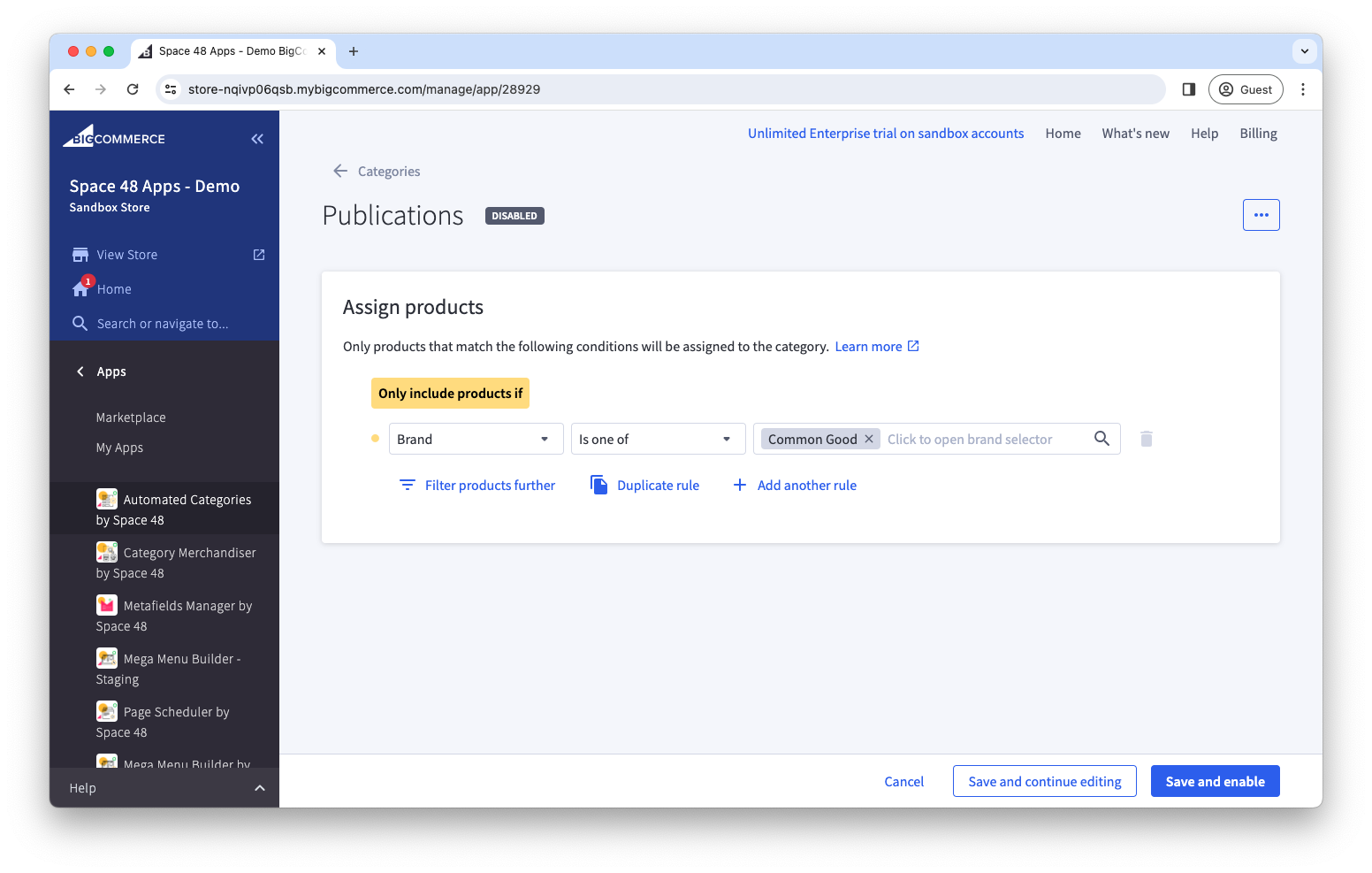
Copy rules to another category
Copy a rule when you want to reuse its conditions in another category instead of recreating them.
Copy a rule
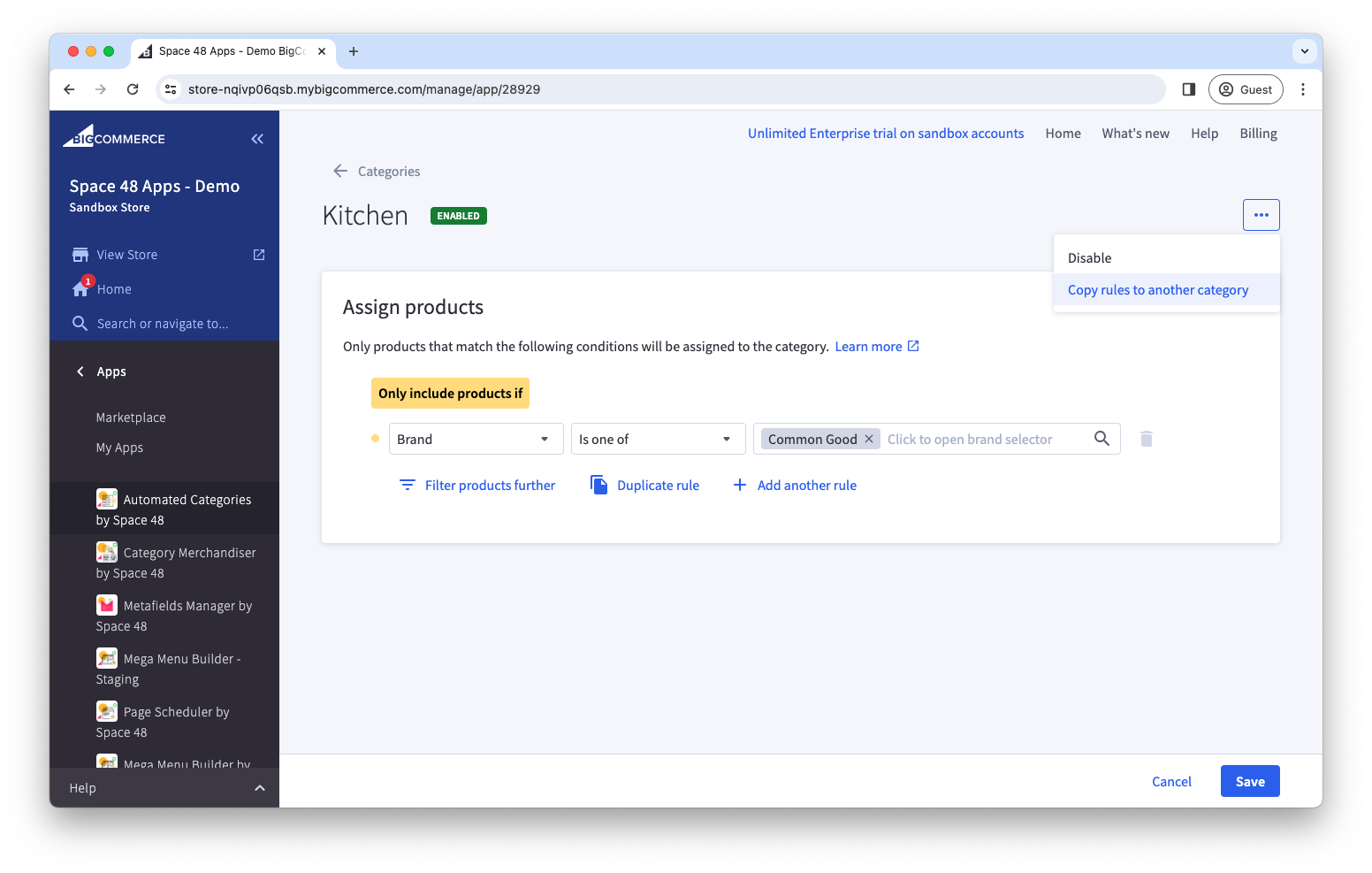
- Open the automated category containing the rule you want to copy.
- From the header menu, select Copy rules to another category.
warning
Save any changes to the source category before copying its rule.
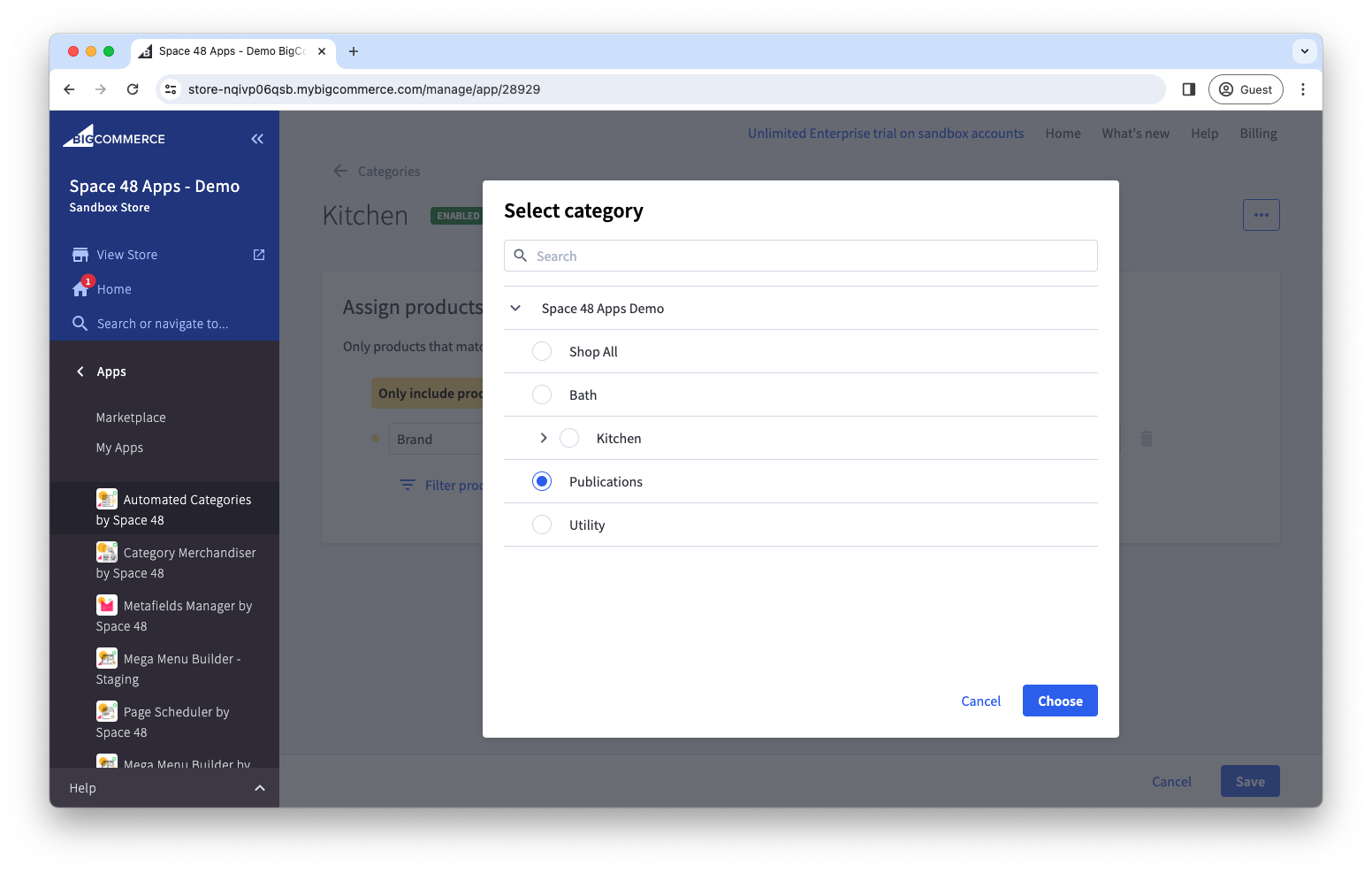
- Select the destination category.
- Choose whether to replace the destination category's existing rule or append the copied conditions to it.
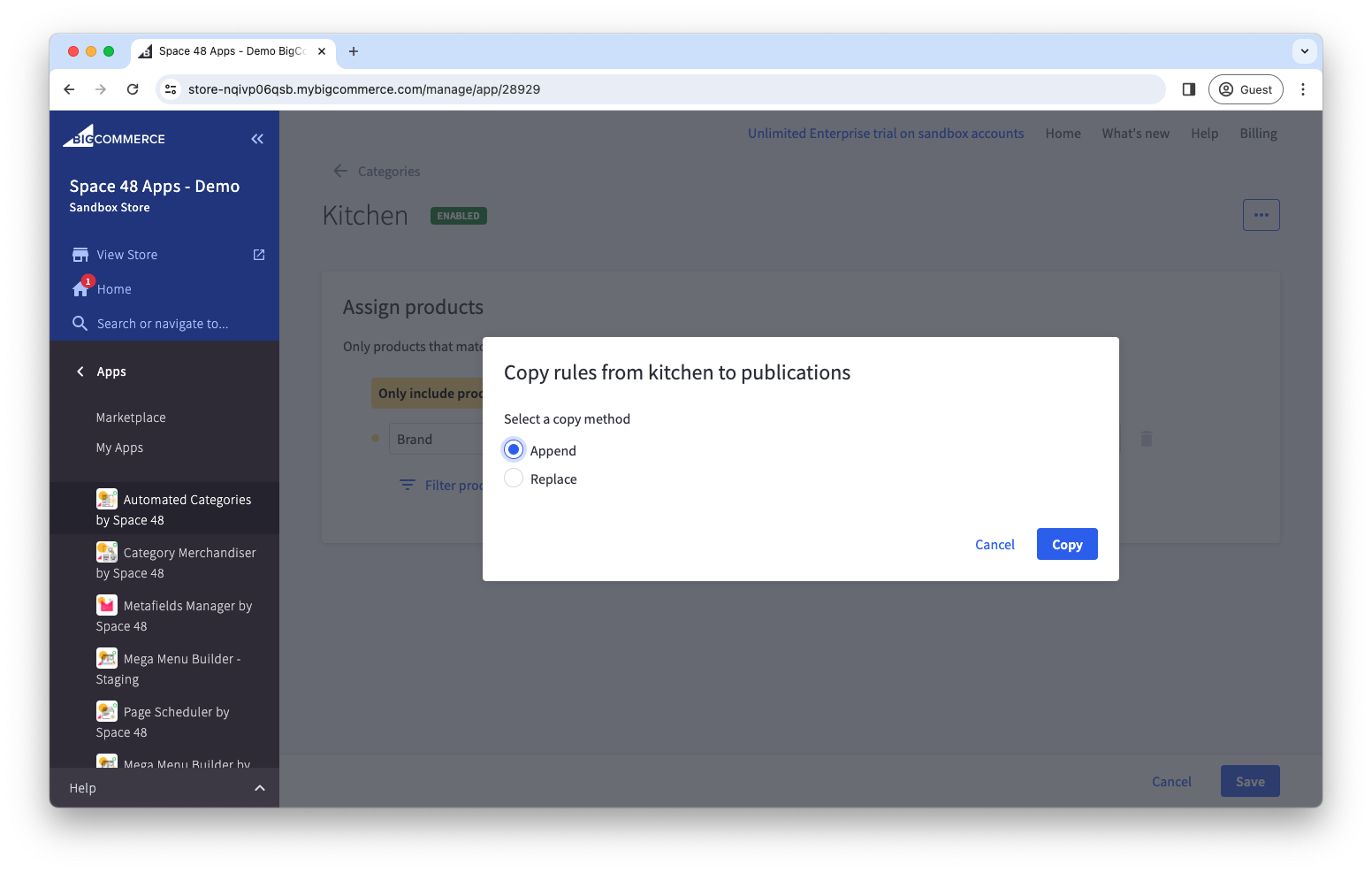
- Select Copy.
- Open the destination category, review or customise the copied rule, and enable it when ready.
note
Automation remains disabled on the destination category after copying. This gives you an opportunity to review the rule before it affects product assignments.