Available fields and conditions
Use this reference to choose the fields and operators for a category rule. See Example rules for common combinations.
Available fields
| Field | Notes |
|---|---|
| Brand | |
| Condition | New, Used, or Refurbished |
| Custom Field | |
| Date Created | |
| Date Modified | |
| Description | HTML characters may need to be encoded. For example, use ® to match ®. |
| GTIN | |
| ID | |
| Inventory Tracking | None, Product, or Variant |
| Inventory Level | The current stock level |
| MPN | |
| Name | |
| Price | The price entered in the BigCommerce control panel. Depending on your store settings, it may not include sales tax. |
| Purchasability | Can be purchased, Can be pre-ordered, or Cannot be purchased |
| Sale Price | The sale price entered in the BigCommerce control panel. Depending on your store settings, it may not include sales tax. |
| Search Keywords | |
| SKU | |
| Type | Physical or Digital |
| UPC | |
| (Any) Variant Sale Price | Checks sale prices across a product's variants. |
| Weight |
Available operators
| Group | Operator | Notes |
|---|---|---|
| Text | Contains | Case-insensitive. Add a separate condition for each value instead of a comma-separated list. |
| Text | Does not contain | Case-insensitive. Add a separate condition for each value instead of a comma-separated list. |
| Text | Exactly matches | Case-sensitive. |
| Text | Does not exactly match | Case-sensitive. |
| Text | Starts with | Case-insensitive. |
| Text | Does not start with | Case-insensitive. |
| Text | Ends with | Case-insensitive. |
| Text | Does not end with | Case-insensitive. |
| Text | Is in | Accepts a comma-separated list, such as ABC,DEF,XYZ. Case-insensitive. |
| Text | Is not in | Accepts a comma-separated list, such as ABC,DEF,XYZ. Case-insensitive. |
| Number | Greater than | |
| Number | Less than | |
| Date | Before | |
| Date | On or after | |
| Date | More than | Checks whether the date is more than a specified number of days ago. |
| Date | Less than | Checks whether the date is less than a specified number of days ago. |
| Boolean | Is true | |
| Boolean | Is false | |
| Other | Exists | True when the product field has a value greater than 0. |
| Other | Does not exist | True when the product field has no value or has a falsy value. |
Combine multiple conditions
Use AND and OR to evaluate more than one condition:
- OR assigns a product when it matches at least one of the connected conditions.
- AND assigns a product only when it matches all connected conditions.
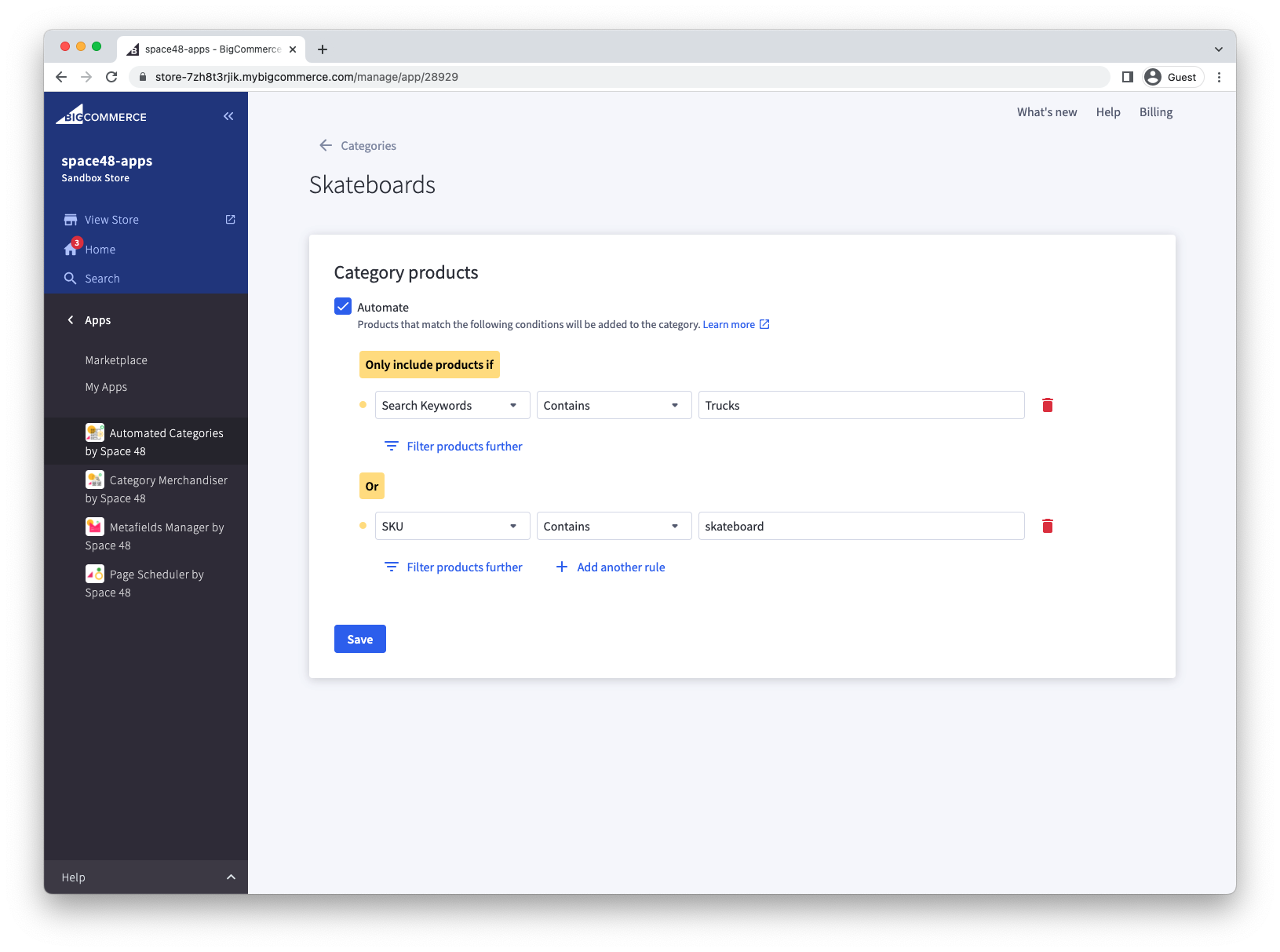
For example, this rule assigns a product to the Skateboards category when Search Keywords contains Trucks OR SKU contains skateboard:
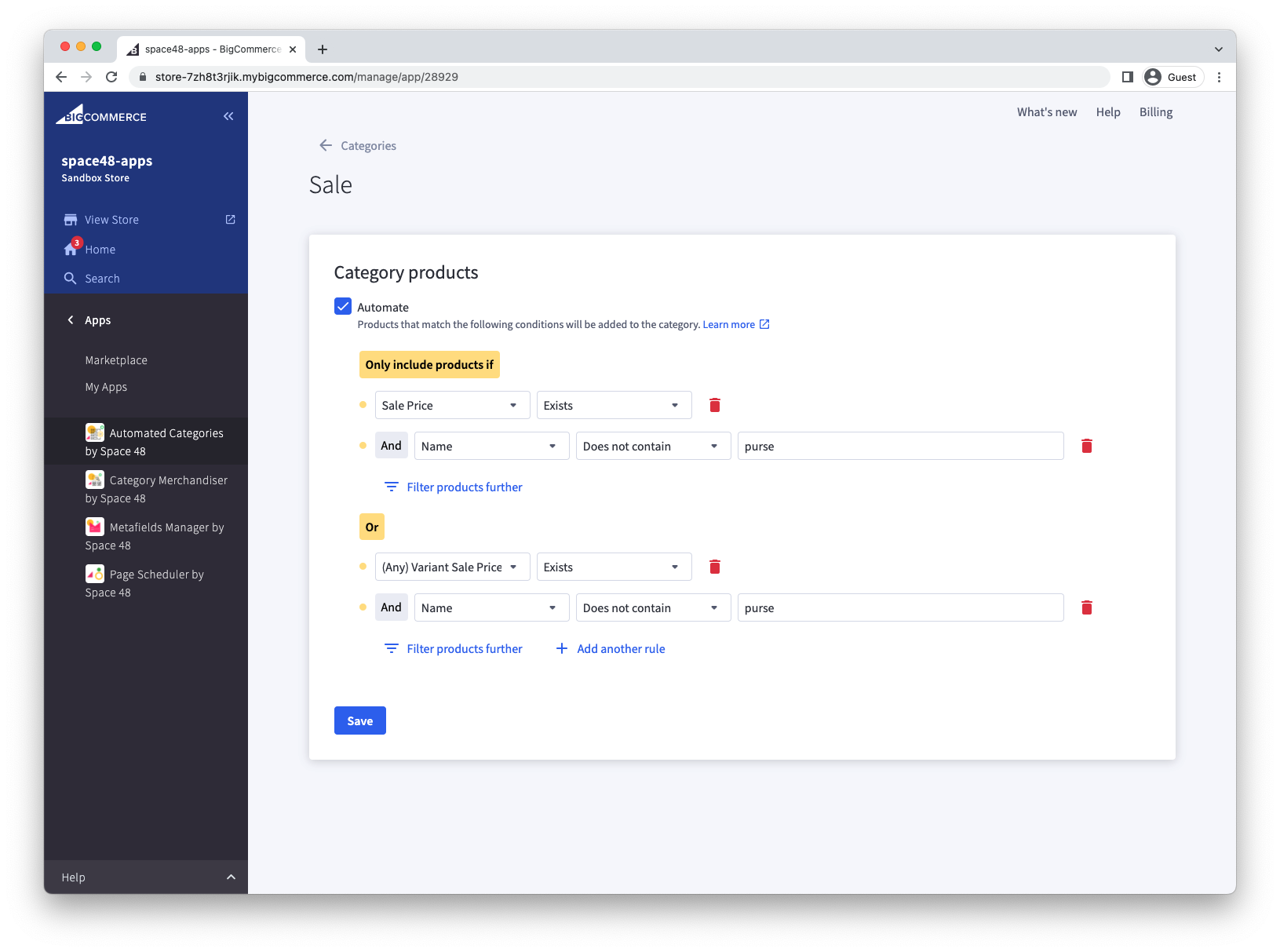
You can use AND conditions to narrow the results or exclude products. This example creates a Sale category for products with a product or variant sale price, while excluding products whose name contains purse: